How to add a tag to a contact profile with HTML
Last updated: March 10, 2025
Overview
You can add tags to contact profiles using HTML blocks in campaign or automation emails.
Read on to learn how to use HTML to apply tags to contact profiles!
Add a tag to a contact with HTML
To add a tag to a contact profile using HTML:
Find your tag's identifier in the ID column of the Tags page
Add an HTML block to an email
Construct your link using a
data-tagattribute with your tag's ID. In the following example, the URL ishttps://www.sendlane.com/, and the tag identifier is6: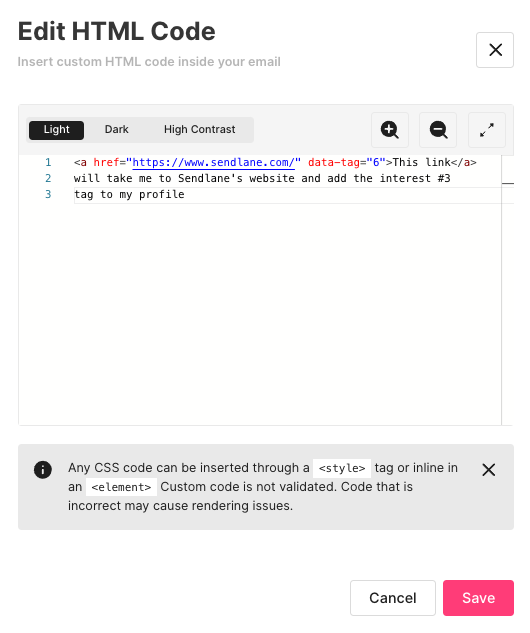
Send your email!