Branding colors and fonts
Last updated: March 4, 2025
Overview
You can specify up to nine colors and unlimited fonts to be displayed prominently where color or font pickers appear in Sendlane; including the email builder, form builder, and reviews.
Branding fonts are not available for email subscription pages.
Brand colors and fonts are set for the entire account
If you have multiple stores under one Sendlane account, you will set brand colors and fonts for all brands on your Account > Branding page.
Brand colors
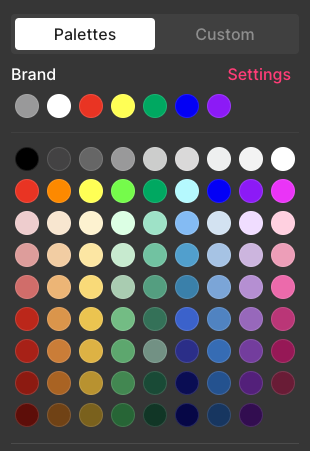
You can use the color palette section of the branding page to select up to nine colors that will always be at the top of the color picker wherever it appears in Sendlane. Read more about branding colors here.
Brand fonts
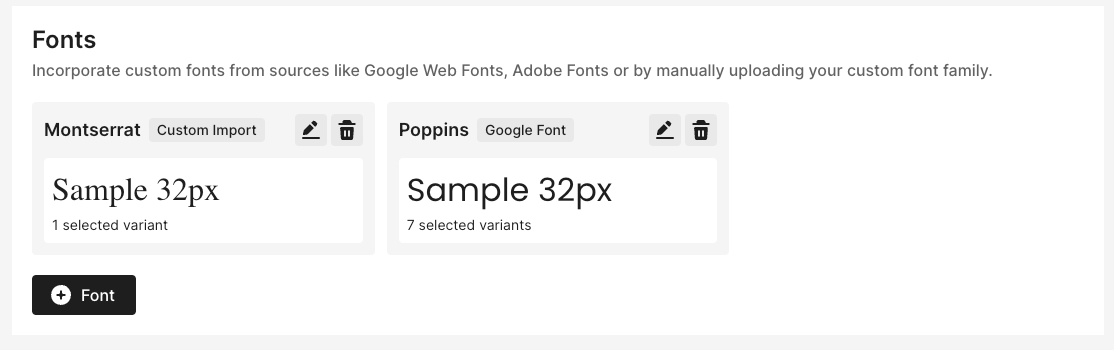
You can use the fonts section of the branding page to import preferred Google, Adobe, or custom fonts you've purchased or are otherwise licensed to use, plus fallback fonts. Read more about branding fonts here.