How to customize landing pages for subscription preferences
Last updated: April 17, 2025
Overview
Landing pages that contacts see when they click links in your emails to confirm double opt-in, update preferences or unsubscribe can be styled to match your brand. Read on to learn how to customize each landing page.
Identify email preference pages
The table below describes the action contacts take to reach each of the four available landing pages:
Contact action | Page contact sees |
Clicks the unsubscribe link in the footer of an email | Unsubscribe/Profile Main  |
Confirms their unsubscription on the Unsubscribe/Profile Main page | Unsubscribe/Profile Confirmation  |
Clicks the link they receive in a double opt-in confirmation email | Double Opt-In Main  |
Clicks the confirm subscription link on the double opt-in Main page | Double Opt-In Confirmation  |
Customize email preference pages
Click Account
Click Email
Click Customize pages
Global design tab
The first tab on the Subscription Preferences page updates style settings for all pages simultaneously. On the Global Design tab, you can update the following elements for all pages:
Logo Click the Logo checkbox and upload a .JPEG, .GIF, or .PNG file (recommended size is 256 x 256 pixels)
Page Styles Set page background color, content background color, and text color
Input Fields Set border color, width, and radius for all input fields
Buttons Set button background color, text color, and border radius
Page content tab
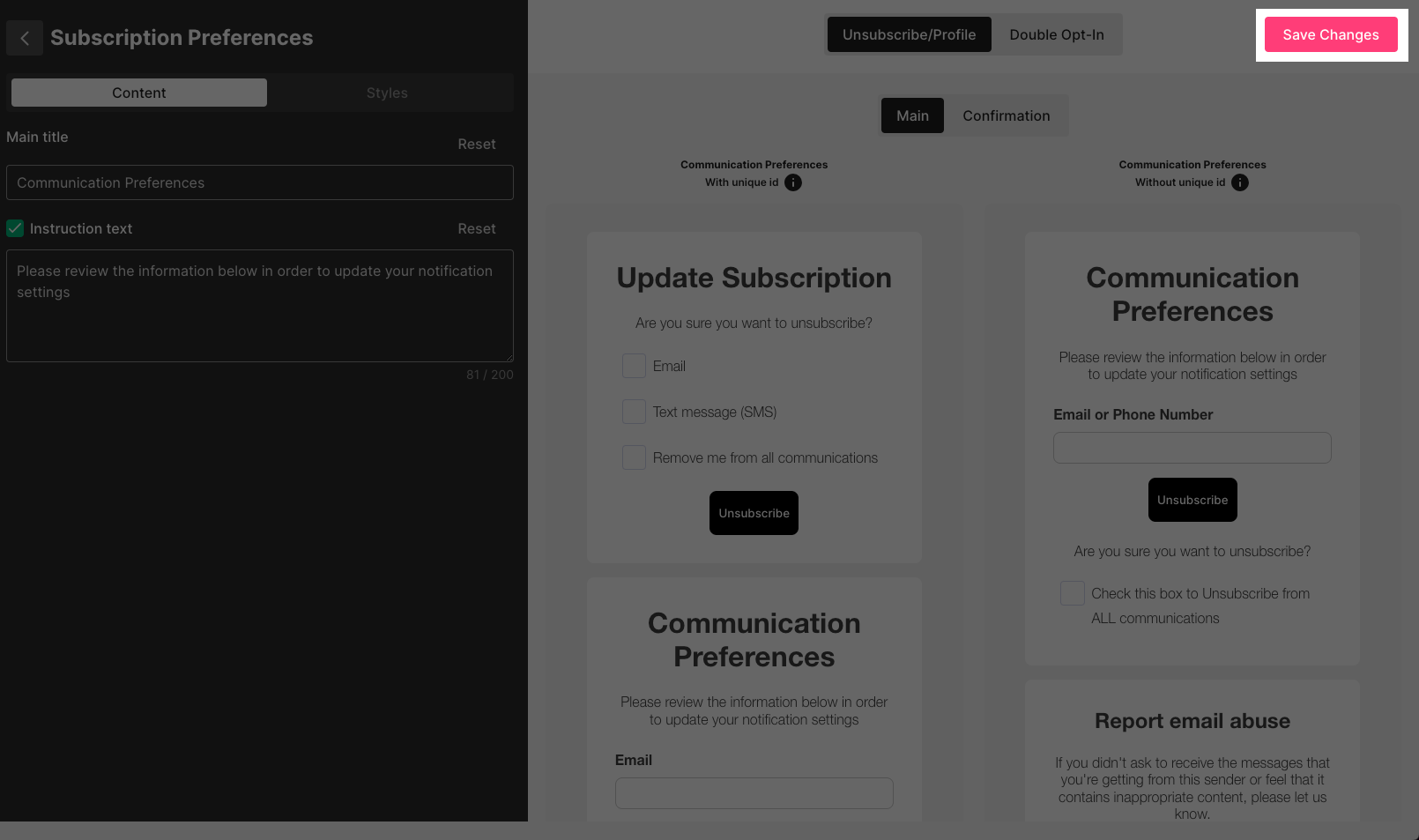
The second tab on the Subscription Preferences page updates the main title and instruction text for each of the Subscription Preferences pages:
Unsubscribe/Profile Main For contacts who are already subscribed to update contact information, consent to receive email or SMS, and report abuse
Unsubscribe/Profile Confirmation What contacts see when they perform one of the above actions
Double Opt-In Main The confirmation email contacts receive and click to be subscribed to your content if you have Double Opt-In turned on
Double Opt-In Confirmation What contacts see when they opt in to your content
Changes to email preference pages are not automatically saved
Click Save Changes in the upper right corner to save your changes!
Troubleshooting
I see "invalid action" or another error when testing my unsubscribe and preferences pages!
These errors are usually caused by being logged into Sendlane while testing. Try logging out of Sendlane and testing your links again; if the problem persists, please contact your customer success manager or Sendlane support.
How can I set up preference options for contacts to select specific Lists to subscribe to?
Sendlane does not currently provide a way for contacts to update their preferences other than unsubscribing from all emails or SMS messages.
How can I rearrange the blocks on the Unsubscribe/Profile page?
The blocks for updating subscription options, communication preferences, and reporting email abuse cannot be rearranged.