How to remove unengaged contacts with segments
Last updated: June 18, 2025
Overview
Removing unengaged contacts with segmentation is a great way to maintain a healthy sender reputation.
In this guide, you'll learn how to manually remove contacts from your audience who haven't engaged with your marketing emails in a specified period of time.
If you would like your list to be cleaned of unengaged contacts automatically, check out our list hygiene feature!
Step One: Create a segment for unengaged contacts
To identify unengaged contacts in your audience, set your segment's conditions to:
Activity>Did Not Open>Recent>1>month, ANDContact Properties>Subscription Date>in the last>1>month
See example
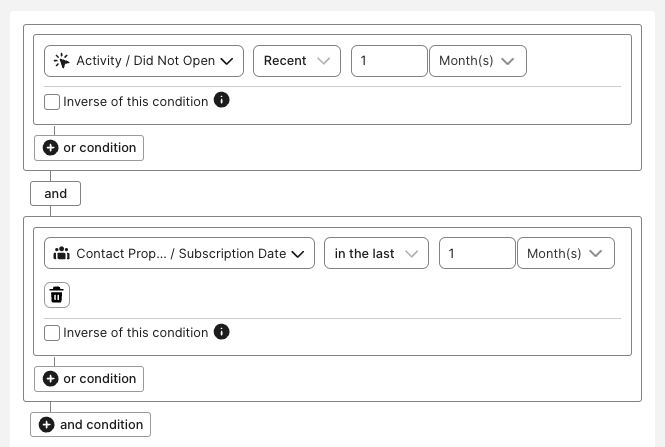
This segment will pull all contacts who subscribed in the last month and haven't opened any emails in the last month. You can adjust the amount of time as needed for your business, just ensure that both conditions use the same amount of time to look back.
Step Two: Remove unengaged contacts
Once your unengaged contacts segment finished processing, you can remove unengaged contacts:
Click Delete All Contacts
In the pop-up window, enter DELETE
Click DELETE CONTACTS