How to create and target average order value based segments
Last updated: July 22, 2025
Overview
Your business serves multiple "tiers" of customers who fall into different groups of average order values. Some customers consistently spend more than others, and these groups require unique messaging and content.
This article explains how to determine your brand's average order value bands and how to target each group.
Step One: Identify your brand's average order value quartiles
Before creating average order value (AOV) based segments you'll need to determine your brand's AOV quartiles, or the four "buckets" that encompass your customers' average order ranges.
Shopify users can use the following procedures to determine AOV bands:
Make a copy of the AOV segment band calculator
Generate the returning customers report and download the file to your desktop. This report pulls a list of customers and their AOV.
In the AOV segment calculator, delete the example data in columns A and G (make sure you do not delete anything in the gray cells, I1:J4)
Paste your returning customer report data
Your quartile bands are calculated in the gray cells to the right of your report data.
Make sure you update the formulas in column J
The AOV segment band calculator contains one hundred rows of example data. You need to update the formulas in cells J2-J5 to account for the rows in your export.
For example, if your export contains one thousand rows, you'll change $G$101 in each formula to $G$1000.
In the sample data from the AOV segment band calculator, the quartile bands are:
Customers with $0.00 to $61.97 AOV
Customers with $61.98 to $76.19 AOV
Customers with $76.20 to $92.18 AOV
Customers with greater than $92.19 AOV
In the next step, we'll create segments for each quartile band.
Step Two: Create segments for quartile bands
Create a segment for each quartile band using your eCommerce integration's Average Order Value condition.
Here's how our sample bands from step one look as segments:
Band 1: eCommerce integration > Customer > Average Order Value > is less than > 61.98 > all time
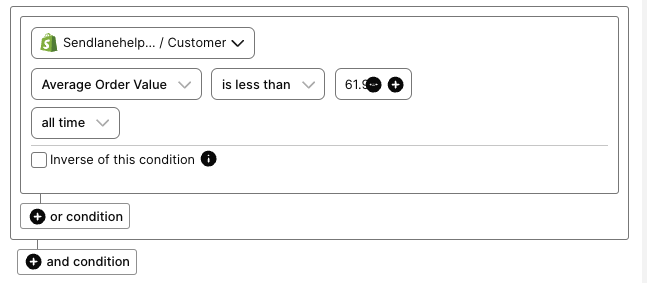
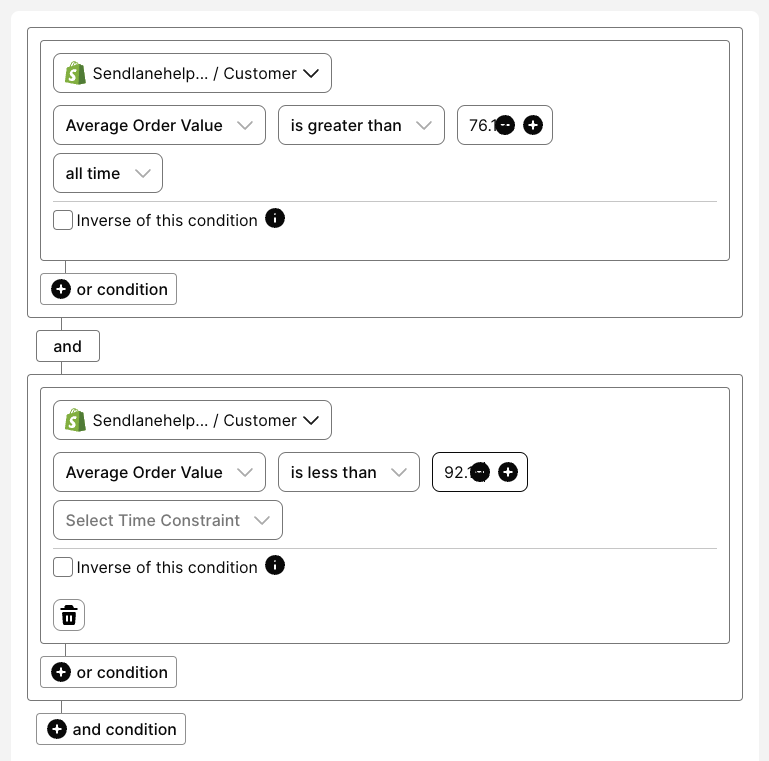
Band 2: eCommerce integration > Customer > Average Order Value > is greater than > 61.97 > all time, AND eCommerce integration > Customer > Average Order Value > is less than > 76.20 > all time

Band 3: eCommerce integration > Customer > Average Order Value > is greater than > 76.19 > all time, AND eCommerce integration > Customer > Average Order Value > is less than > 92.19 > all time
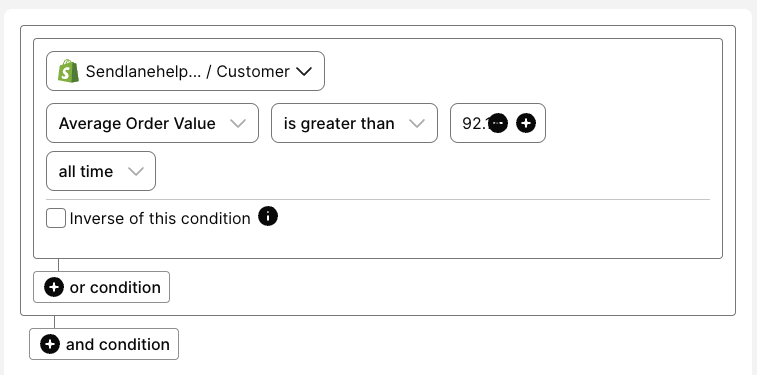
Band 4: eCommerce integration > Customer > Average Order Value > is greater than > 92.18 > all time
Step Three: Develop campaigns for your AOV bands
Tailor your SMS and email campaigns to strategies that are best for each band:
Quartile | Description | Strategy | Avoid |
Quartile 1 | New or low-spending customers | Promote low-cost items, entry-level bundles, and onboarding content. Encourage minimum spend thresholds. | High-priced products, complex catalogs |
Quartile 2 | Early loyalty, modest spend | Use bundle or volume incentives, simple urgency (limited-time or low-stock), reinforce value. | Over-personalized content, VIP-tier messaging |
Quartile 3 | Consistent mid-to-high spenders | Offer early access, cross-category recommendations, and preview loyalty benefits. | Generic campaigns, irrelevant product suggestions |
Quartile 4 | Top spenders, highly engaged | Prioritize exclusivity, SMS for urgency, and curated high-value product selections. | Broad promotional content, discount-heavy messaging |