Understanding form statuses
Last updated: May 28, 2025
Overview
Sendlane Forms can be edited at any time.
Read on to learn about form statuses and how to manage unpublished changes.
It is not possible to set a separate schedule for changes to a form
Only a form's publication can be scheduled. Designs, opt-in settings, and targeting settings cannot be scheduled.
Form statuses
Live - if the form’s code is installed on your website and the form is set to Live, the form is visible on your website and can collect data from website visitors
Scheduled - if the form’s code is installed on your website and it is within the scheduled window, the form is visible on your website and can collect data from website visitors
Draft - if the form’s code is installed on your website and the form is saved as a Draft, the form is NOT visible on your website and CANNOT collect data from website visitors
Publishing pending changes
You’ll see a note on the Forms page that says “Unpublished changes” when a change has been made to a form that is set to Live or scheduled to be Live. This note means that the changes made to the form are not yet visible where the form is displayed.
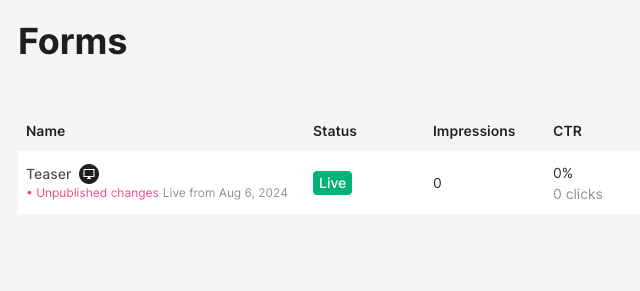
To publish pending changes:
Open your form
Click Design
Click Summary
Click Publish Pending Changes