How to Create Product Groups
Last updated: March 14, 2025
Overview
Product groups allow you to group the reviews of different products together and display reviews of all products in the group on each individual product's page. Product groups also combine star ratings for each included product.
If your store offers the same base product with different designs, product groups are a great way to make sure all of the products benefit from the reviews submitted by your customers! Read on to learn how to create and edit product groups.
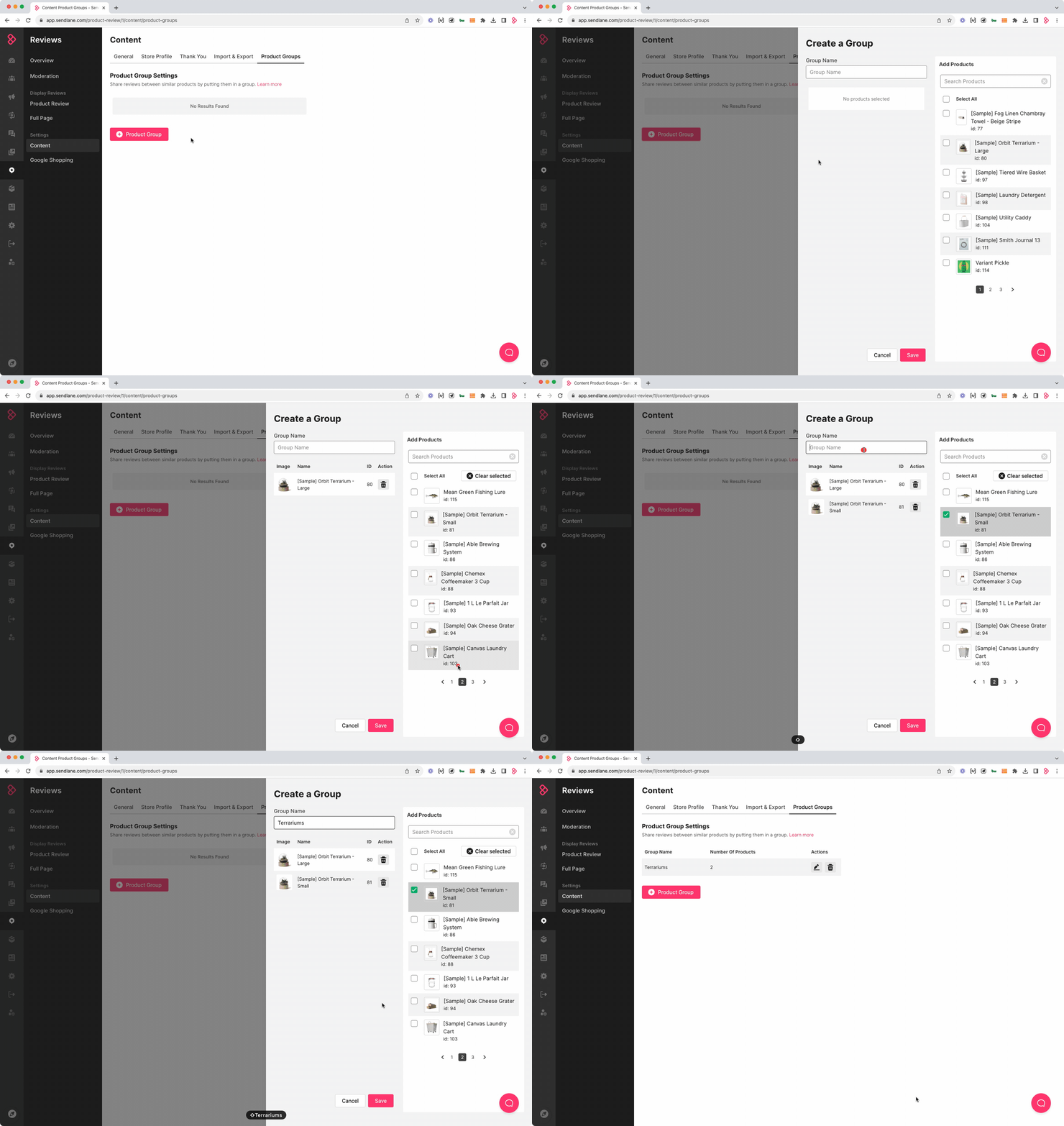
Create a Product Group
Click the Reviews icon
Click Content
Click Product Groups
Click + Product Group
Enter a name for your Product Group
Select products to add to the Product Group*
Click Save
*Each product can only be added to only one group
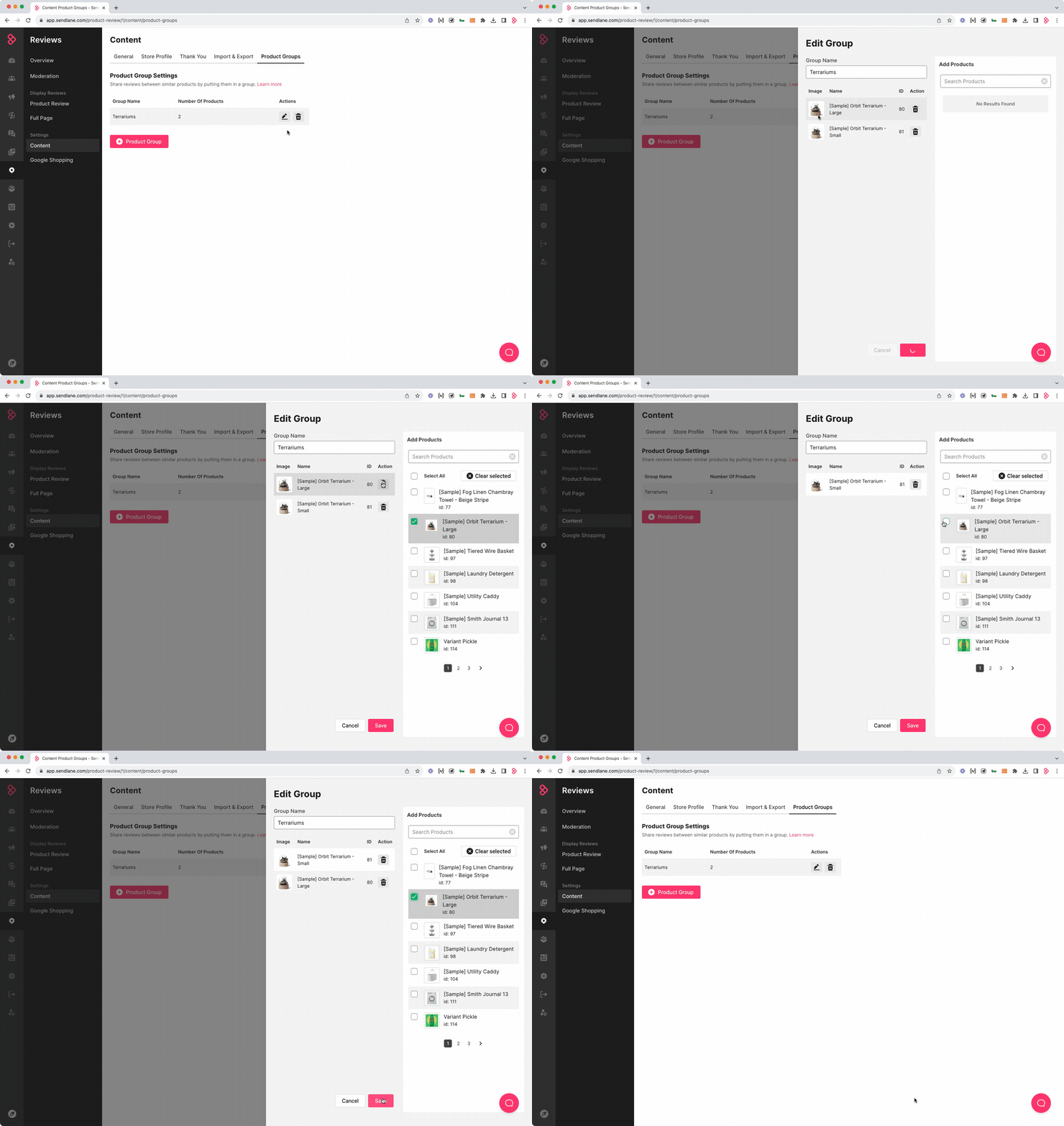
Edit a Product Group
Click the pencil icon next to the Product Group you'd like to edit
Unselect existing products and/or select additional products*, or change the name of the Product Group
Click Save
*Each product can only be added to only one group
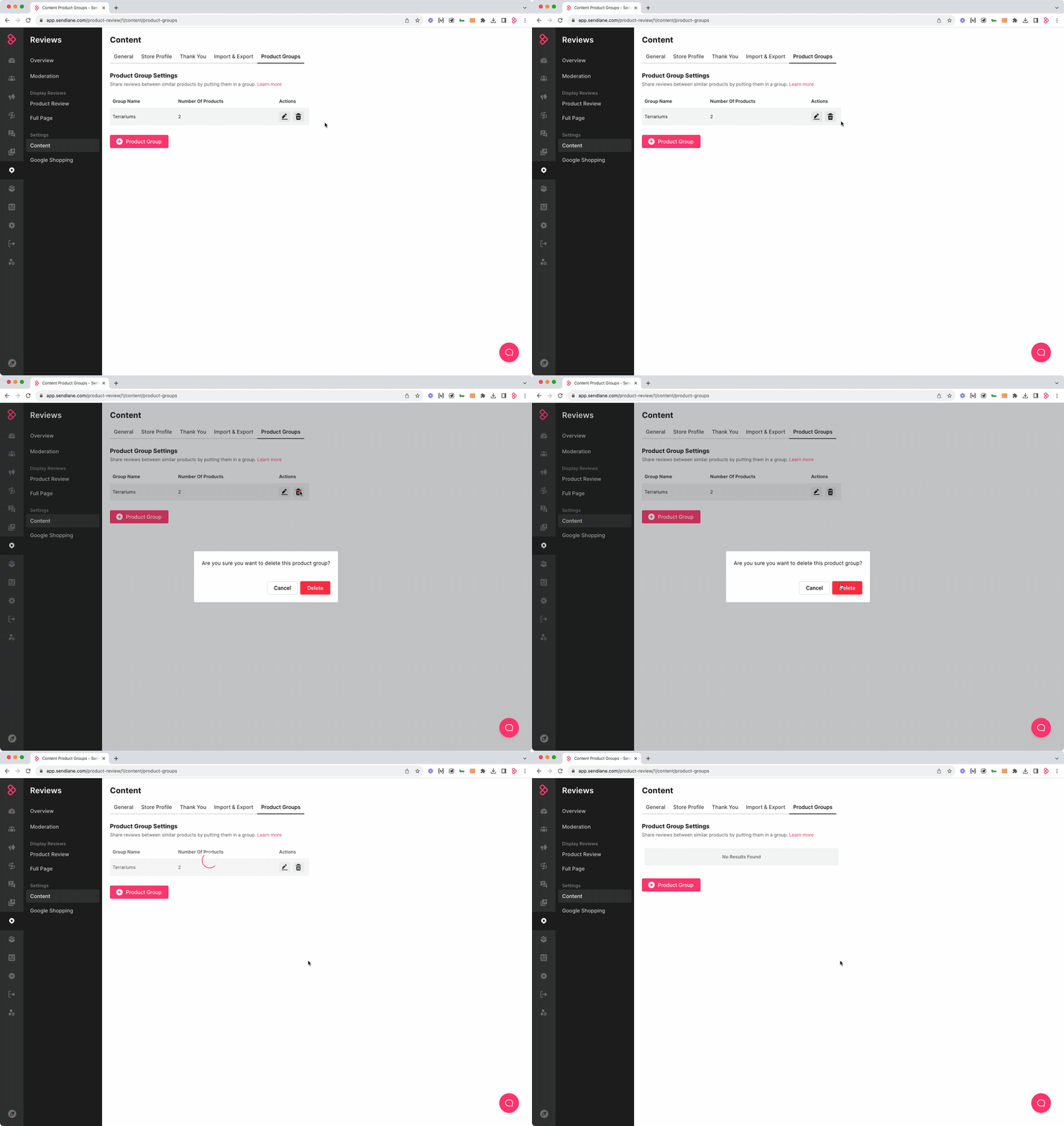
Delete a Product Group
When you delete a Product Group you are only deleting the association between the products in the group. Each product will retain its reviews, and each product's average star rating will be re-calculated to only include reviews left for that individual product.
Click the trash can icon next to the Product Group you'd like to delete
Click Delete