How to Notify Customers of Public Review Replies with Automations
Last updated: March 14, 2025
Overview
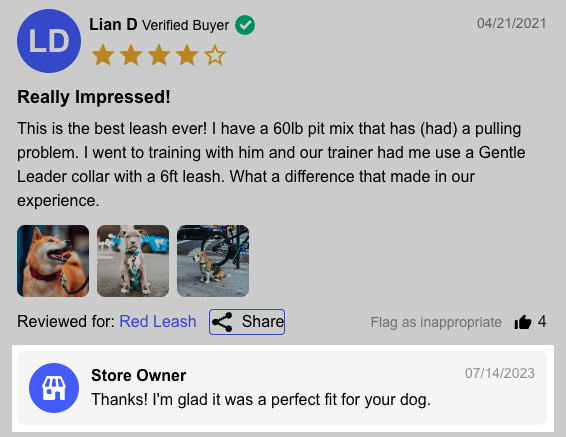
With Sendlane Reviews, you can respond publicly to reviews on your site to thank customers for their positive reviews or provide further assistance to negative reviewers. Read on to learn how to set up an Automation that will notify reviewers that you've commented on their review!
Use the Review Comment Reply to notify reviewers that you’ve responded to their review!
🚦 Before Getting Started
Complete Reviews setup
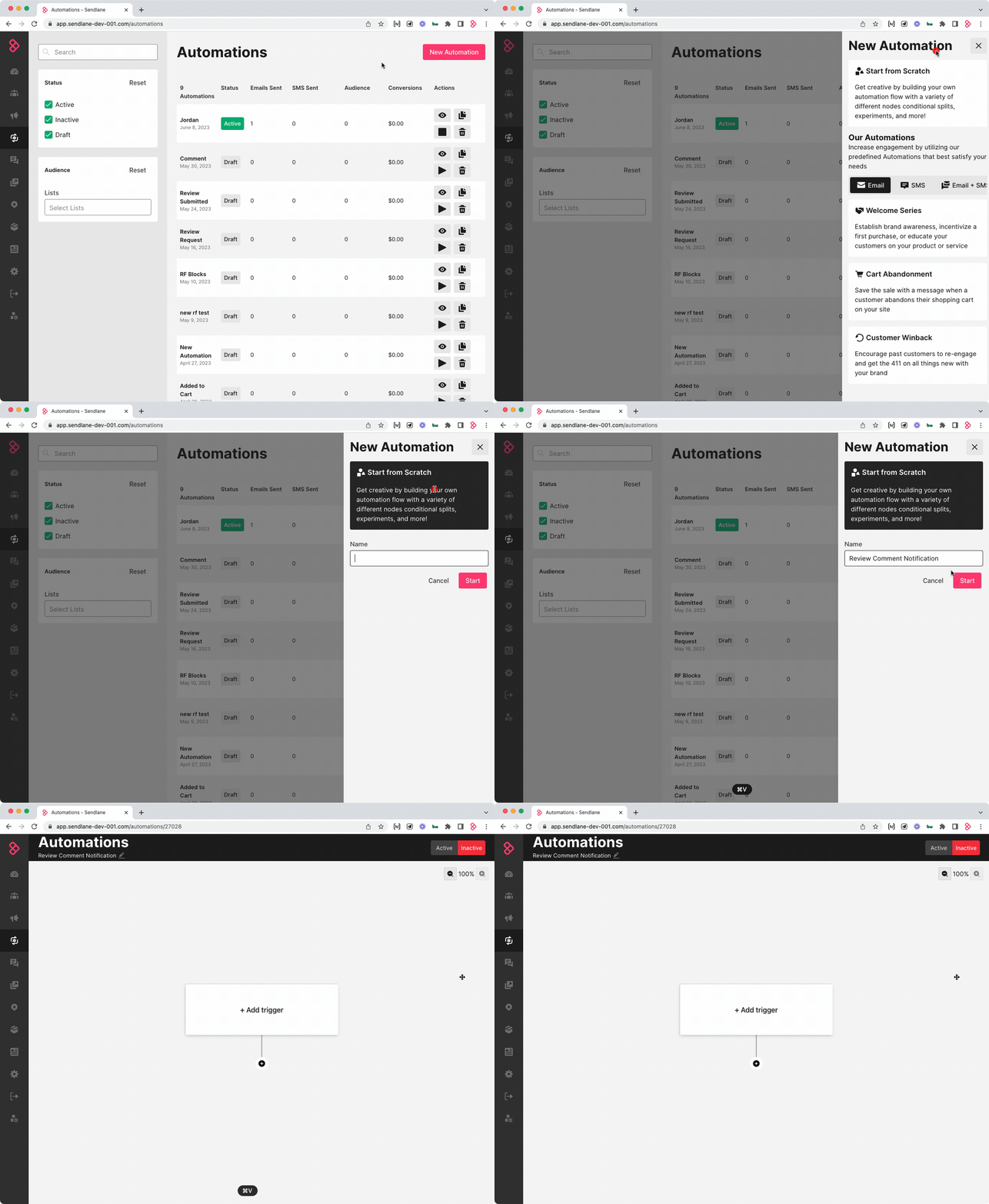
1. Create an Automation
Click the Automation icon
Click New Automation
Click Start from Scratch
Enter a name for the Automation
Click Start
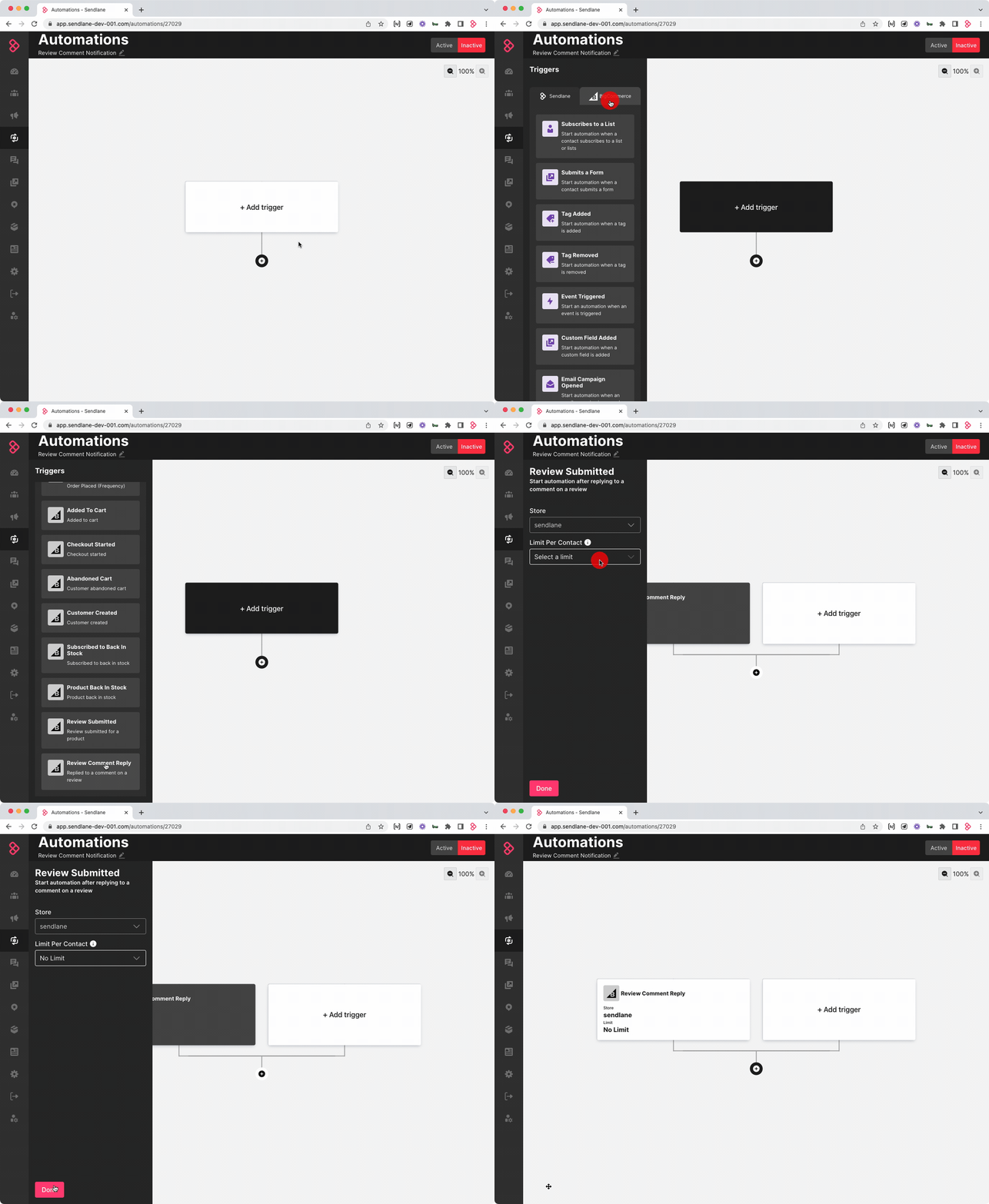
2. Add Triggers
Click +Add Trigger
Click your eCommerce integration’s tab
Select the Review Comment Reply trigger
Select No Limit in the Contact Limit dropdown
3. Add an Email Node
Click the + button
Click Send Message
Click Email
Learn more about Automation email nodes here.
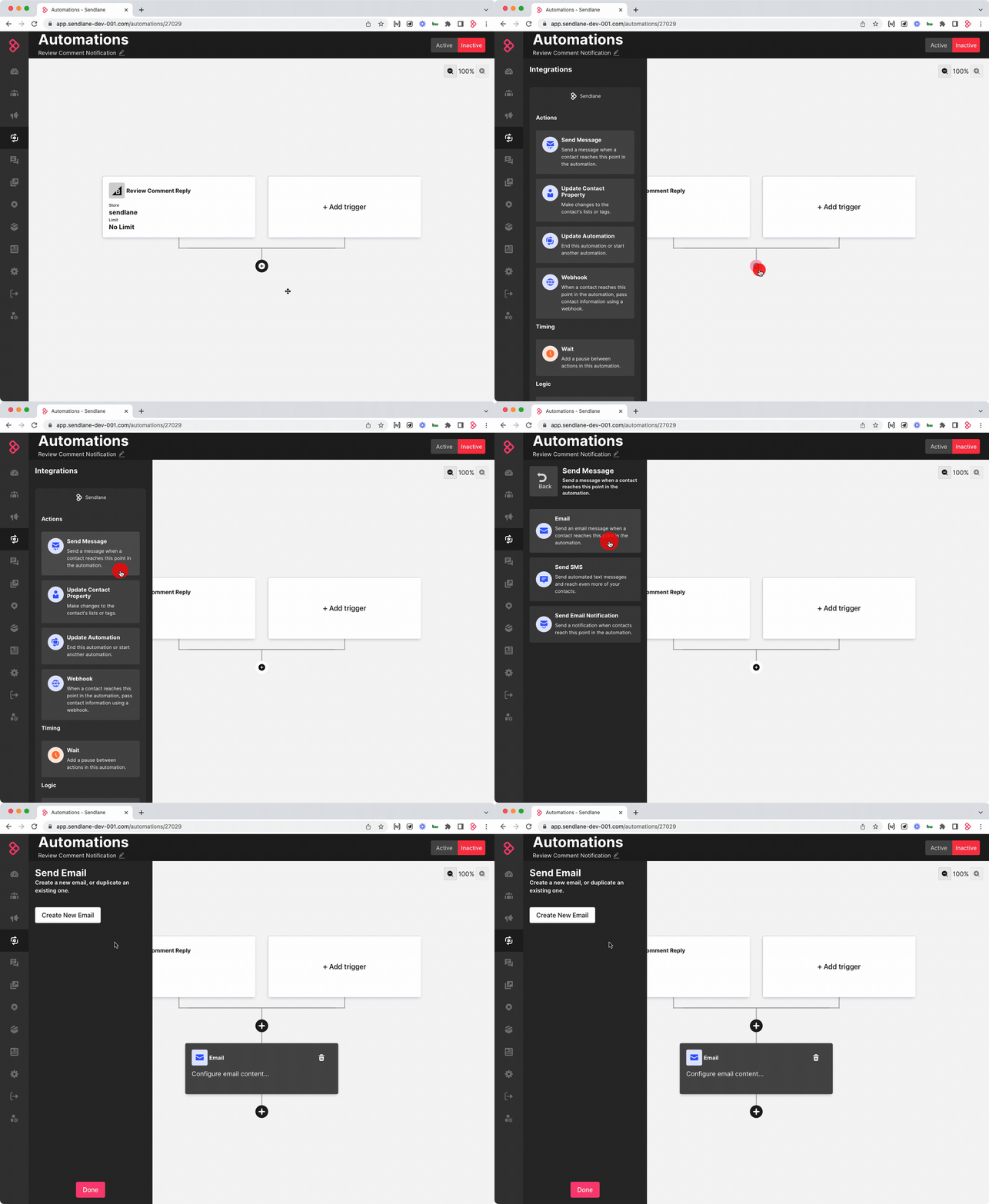
Click Create New Email to start designing your review comment notification email.
Use personalization and Twig to dynamically insert the text of the recipient’s review and the comment left on the review:
{{trigger.getReviewDisplayName()}}Displays the name the Contact used when submitting their review (may not match the name in their Contact Profile){{trigger.getReview.title}}Displays the text the Contact entered in the title field of their review{{trigger.getReview.content}}Displays the body of the review{{trigger.getReview.reply}}Displays the text of the reply to the review
Here's some sample copy for inspiration:
Subject
Company Name has commented on your review
Body
Hi {{trigger.getReviewDisplayName()}},
You have a comment on your review:
{{trigger.getReview.title}}
{{trigger.getReview.content}}
Comment:
{{trigger.getReview.reply}}
⏭ Next Steps
Now that you've completed the required Automation to request reviews from purchasers, set up an Automation to respond to reviewers with an email or SMS, and a final Automation to notify reviewers that you've left a public reply on their review:
Notify Customers of Public Review Replies with Automations