How to target website visitors coming from specified sources with forms
Last updated: March 11, 2025
Overview
You can use UTM codes to display Sendlane Forms when website visitors reach your site from a specified source, such as your brand’s social media accounts.
Read on to learn how to display forms based on visitors’ origin!
Create UTM
Sendlane Forms requires a UTM for the source you want to target. Use a URL builder, like Google’s, to create a link with your chosen UTM codes appended.
Let’s say you want to show your form to website visitors who click a link you’ve included in your brand’s Instagram story.
To build a URL, you must specify a source and medium, and can optionally specify a campaign name, term/keywords, and content. For our example we will specify a source and a medium.
Using fewer specifications means your link is more general purpose and can be reused several times, but the data you collect will be broad.
Using more specifications means your link will generate more granular data, but you’ll need to create more links to meet your marketing strategy’s needs.
A URL that identifies website visitors as coming from an Instagram looks like this:
https://www.example.com/?utm_source=instagram&utm_medium=story>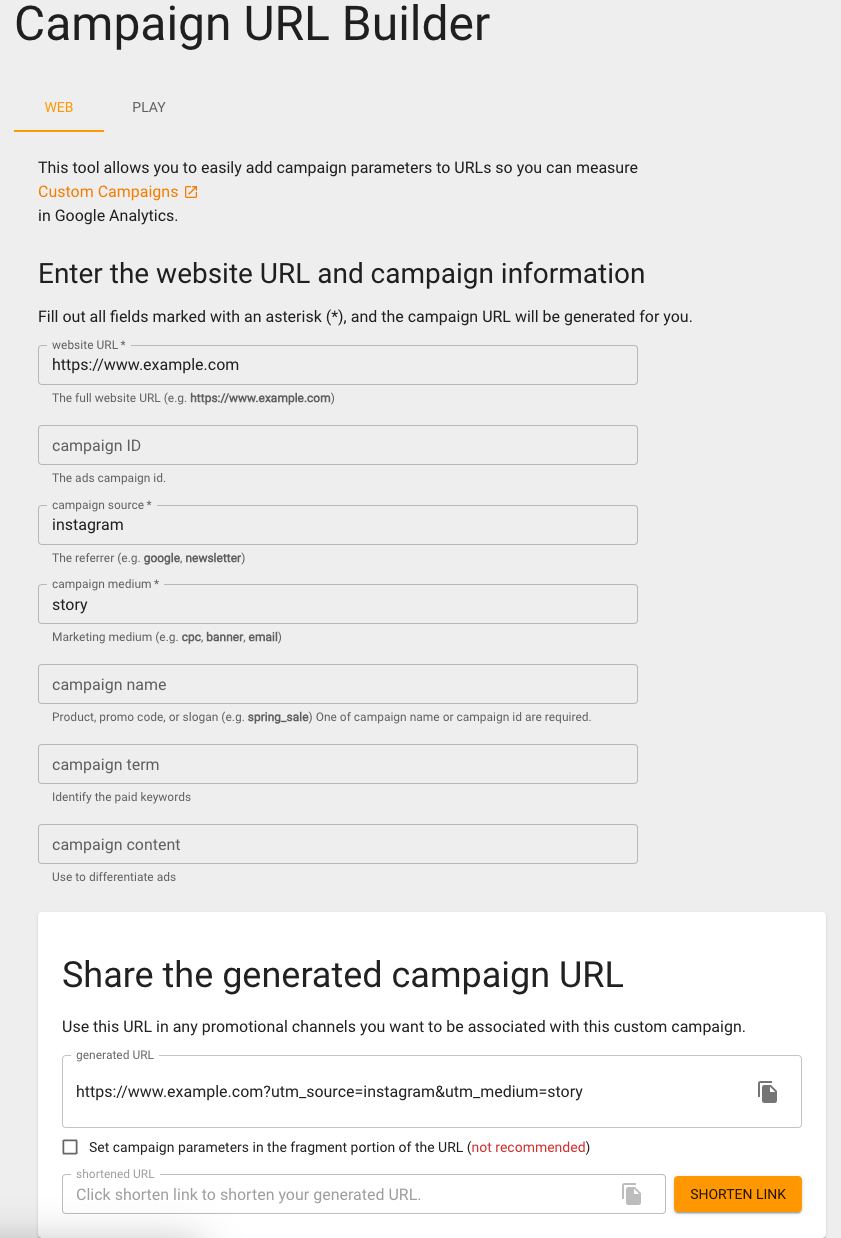
Target forms
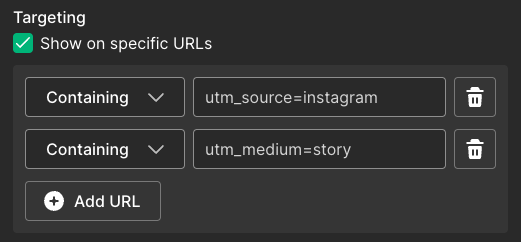
To add your UTM to your form’s targeting settings:
Open a form
In the Display Targeting settings of the form builder, click the Show on specific URLs checkbox
Click Add URL
Set the dropdown to Containing
Paste a UTM code in the text box
Repeat steps 3-5 to add more UTM codes